FlowFi
Track Your Money,
Achieve Your Goals.
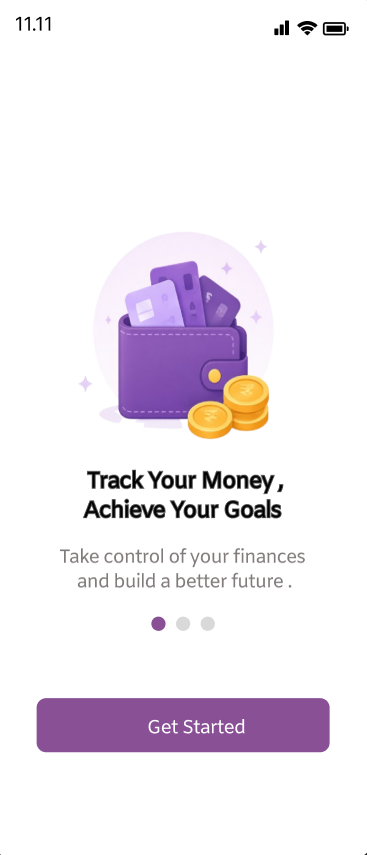
A minimal budget tracking app designed for students — built to turn money awareness into a daily habit.
The Problem
Money management is one of the biggest hidden stressors of student life. We mapped four core friction points.
No Daily Tracking
Students rarely log their daily expenses, losing visibility over where money goes.
Overspending
Without limits or feedback, casual spending quickly snowballs into stress.
Complex Apps
Existing finance apps are built for adults — cluttered, jargon-heavy, intimidating.
No Habit Loop
There's no gentle nudge to come back daily and build a tracking habit.
Our Objective
Four guiding principles that shaped every screen, interaction and word in the app.
Create a simple budget tracking app
Encourage daily tracking habits
Provide clear financial insights
Reduce financial stress
The Solution
Three pillars that turned the problem into a product.
Minimal Design
A clutter-free interface that focuses attention on what matters: the number.
Built for Students
Tailored categories, INR-first defaults, and language that doesn't lecture.
Simple & Usable
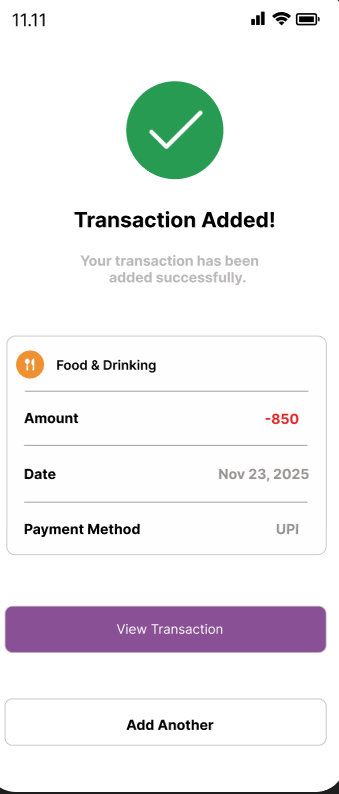
Three taps to log a transaction. Zero financial vocabulary required.
App Screens
Ten screens, one consistent system. Swipe through the full FlowFi experience.
Smart Dashboard
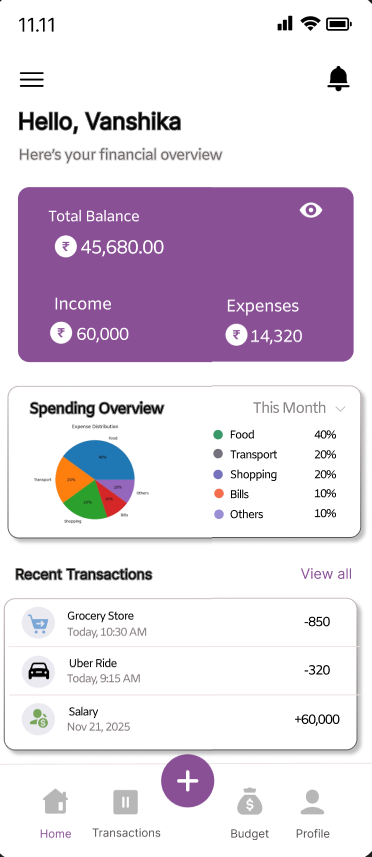
Total balance at a glance
Income, expenses, and net balance — front and centre on launch.
Spending breakdown
An at-a-glance pie chart shows where every rupee actually went this month.
Recent transaction feed
The last few entries stay one scroll away so you never lose context.
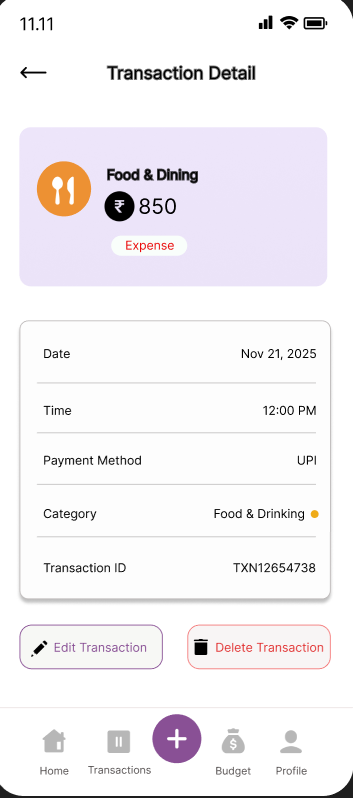
Effortless Tracking
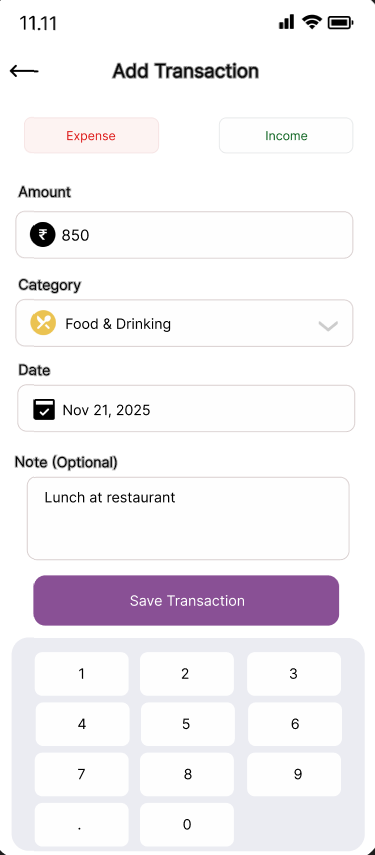
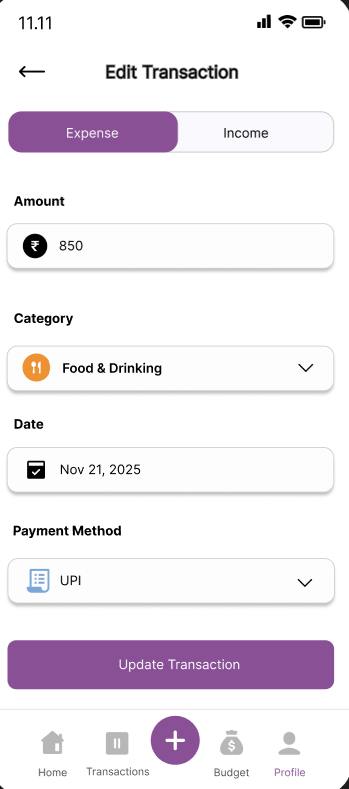
Expense / Income toggle
One tap switches mode — the form adapts instantly.
Smart category picker
Pre-set student categories: Food, Transport, Shopping, Bills.
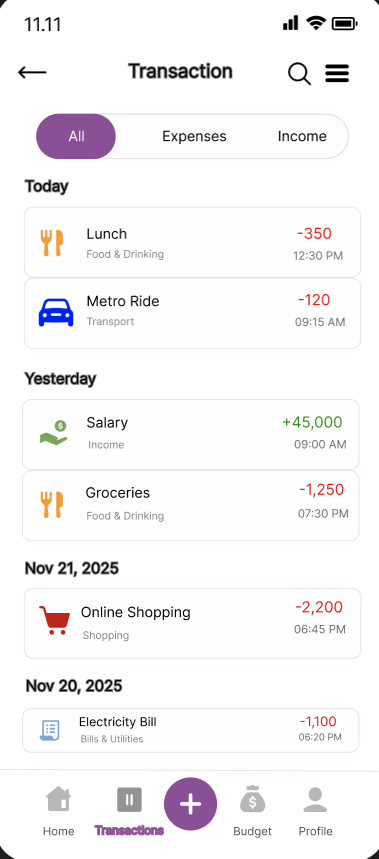
Grouped history
Today, Yesterday, and dated buckets keep the list skimmable.
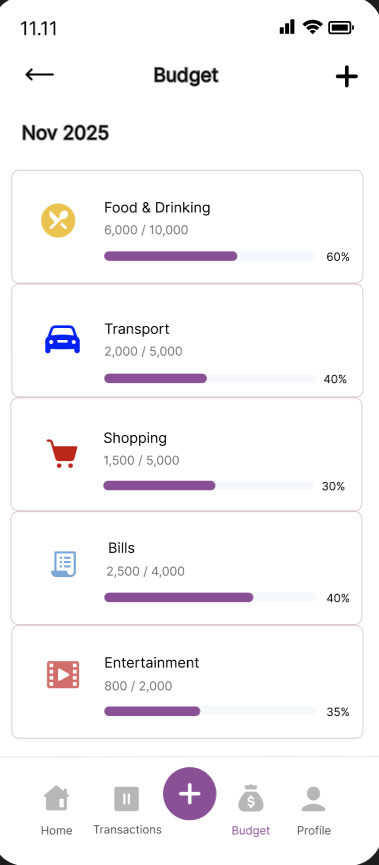
Stay Within Budget
Monthly budget limits
Set a ceiling per category and FlowFi tracks the burn rate for you.
Visual progress bars
Color-coded fills make the 60% mark unmistakable.
Category-wise breakdown
Food, Transport, Shopping, Bills, Entertainment — all in one view.
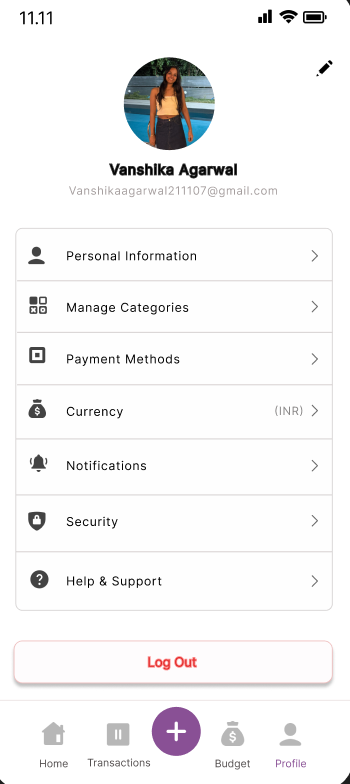
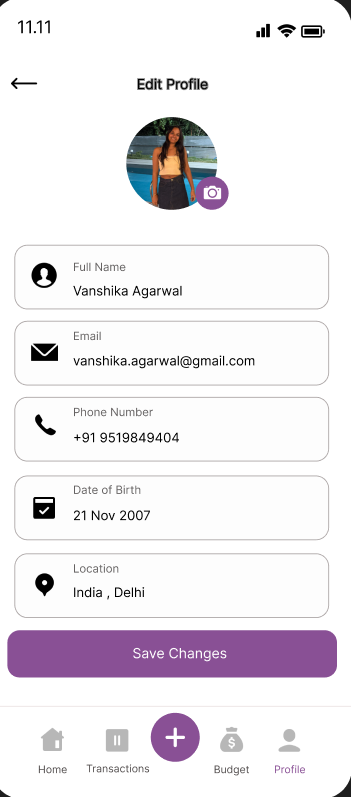
Personalized Experience
Personal information
Name, email, phone, DOB and location — managed in one tidy sheet.
Manage categories
Add or rename categories so the app speaks your spending language.
Currency · Notifications · Security
Sensible defaults with the controls power users expect.
User Journey
The shortest path from open to insight.
Design Decisions
The atoms that make FlowFi feel like FlowFi.
Color Palette
Typography
Icon Style
Outlined, 2px stroke, rounded joins — friendly without being childish.